


Explosion at US embassy in Montenegro
There has been an explosion at the US Embassy in Montenegro, the government says.
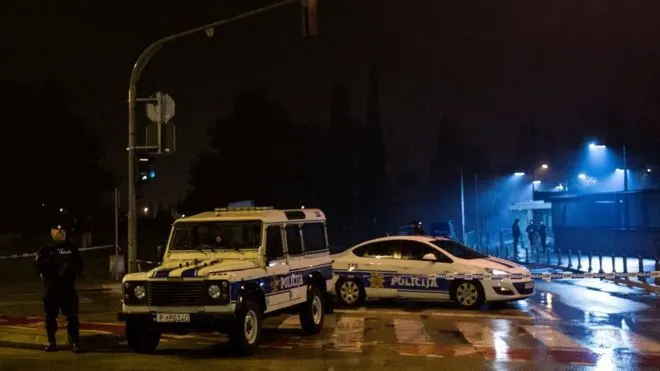
There has been an explosion at the US Embassy in Montenegro, the government says.
An unidentified attacker threw an explosive device into the embassy compound in the capital Podgorica, before killing himself, it tweeted.
It said the device thrown was likely a hand grenade. No other injuries have been reported.
The US embassy earlier issued a security alert, advising citizens to stay away from the mission.
The explosion is reported to have taken place at midnight local time on Wednesday.
Police are investigating the incident and who might have been behind it. A senior official from the US state department told the New York Times that the motive for the attack was unknown.
Steve Goldstein, the under secretary for public diplomacy and public affairs, said no-one in the embassy was injured.
A guard at a nearby sports centre told the AFP news agency he "heard two explosions, one after another".
He added: "Police came very quickly and the body of a man was taken away."
Montenegro, home to about 630,000 people, emerged as a sovereign state after an independence referendum in 2006.
The vote heralded the end of the former Union of Serbia and Montenegro - itself created only three years earlier out of the remnants of the former Yugoslavia.
 افزودن تابناک به منابع ترجیحی گوگل
تابناک را در شبکه های اجتماعی دنبال کنید
نظرات بینندگان
هنوز دیدگاهی منتشر نشده است.
دیدگاه خود را بنویسید
سایت تابناک از انتشار نظرات حاوی توهین و افترا و نوشته شده با حروف لاتین (فینگیلیش) معذور است.